


Cryptohopper - Crypto Trading
3.6256.00 Reviews
App Specs
- Version
- 3.0.4
- Updated On
- License
- Free
- Downloads
- 100,000+
- Developer
- Cryptohopper
- Categories
- Finance
- Platform
- Android
Screenshots

 Analysis by AppCompare
I approach crypto automation as a way to manage a process, not as a shortcut to guaranteed returns. That distinction matters with Cryptohopper: the app is built around automated trading, but a bot still follows choices you make in a market that can move sharply. I’d consider it most useful for someone curious about systematic trading who is willing to learn what their settings do and check results rather than simply switch automation on and walk away.
What the free entry point tells you—and what it doesn’t
Cryptohopper is a free finance app from Cryptohopper, with optional in-app purchases listed from $0.99 to $184.99 per item. That makes it possible to begin without paying for the app itself, but it doesn’t mean every tool or level of use is free. I’d check the current purchase options in the app before building a plan around a paid feature, and decide whether it solves a real need rather than assuming the highest-priced option is necessary.
The app has a 3.6 average from around 2.8 thousand ratings, with roughly 257 written reviews and over 100 thousand installs. Those figures suggest a real user base, but they are not a promise that a particular strategy will work for you. It is rated for Everyone, was released in 2019, and its current version is 3.0.1 for devices running Android 8.0 or later. For me, these details are useful for deciding whether it fits my device and comfort level, not for judging trading performance.
Getting Started with Cryptohopper
First off, setting up Cryptohopper is surprisingly straightforward. After downloading the app from your favorite app store, you’ll be greeted with a clean, intuitive interface that's designed to ease you into the trading world. Whether you’re on an Android or iOS device, the experience is smooth. The app provides a step-by-step guide to help you connect to your favorite exchanges, and soon enough, you're ready to set up your first bot.
Now, if you’re like me and the thought of a trading bot sounds both exciting and a bit intimidating, don’t worry. Cryptohopper does a great job of making this process feel less like rocket science and more like a fun experiment. The app offers various templates and strategies that you can customize, which means you can start trading without having a degree in finance.
Features That Stand Out
One of the standout features of Cryptohopper is its backtesting capability. Before you let your bot loose on the market, you can test your strategies against historical data to see how they would have performed. This is a game-changer because it allows you to tweak your strategies without risking real money. It’s like having a practice round before the real game begins.
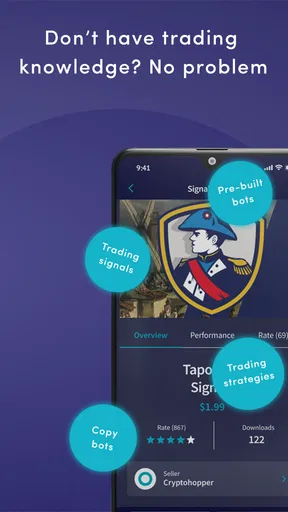
Another feature that I found particularly useful is the ability to mirror the strategies of professional traders. This is perfect for newbies or even experienced traders who want to see how their strategies stack up against the pros. You can even follow multiple traders and diversify your approach, which adds a layer of security and learning to your trading experience.
Worth Reading Before You Choose

Flipboard Shows What News Apps Must Do Beyond the Feed

Switching to Android Auto Means Rethinking Your Driving Routine

Google Calendar Makes a Crowded Week Easier to Manage

Ludo King Makes the Most of the Minutes Between Plans

Baby Panda World Brings Quick Play to Modern Phones, but Its Game Library Feels Busy

ESPN’s Live Game View Makes Following Close Games Easier
Ease of Use and Accessibility
Let’s talk about usability. Cryptohopper doesn’t force you to stay glued to your phone or computer all day. The app sends push notifications to keep you updated on your bot’s performance and market conditions. This means you can go about your daily life without worrying that you’ll miss a crucial market move. Plus, the app’s mobile-first design ensures that you can manage your trades seamlessly on the go.
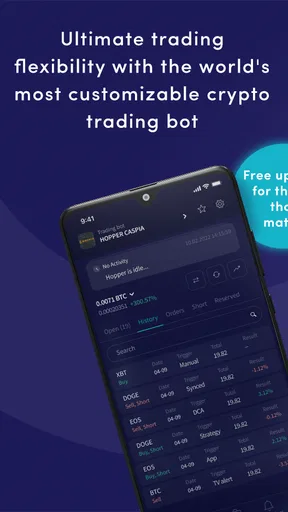
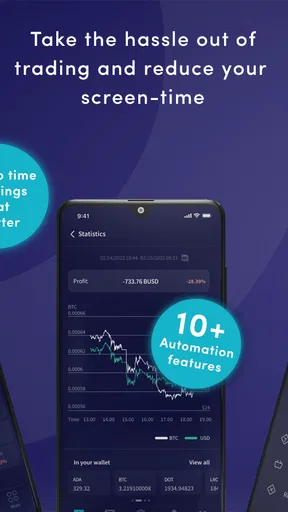
For those of us who love a good dashboard, Cryptohopper delivers. The dashboard is user-friendly, offering a snapshot of your portfolio, bot performance, and market trends. It’s packed with useful information without being overwhelming, which is a tricky balance to get right.
A practical routine for testing automation
I would treat a template as a starting point, not a ready-made answer. Before committing funds, I’d write down what I expect the bot to do in a few ordinary market situations, then use backtesting to see whether the strategy behaves as I expect on historical data. A promising backtest is a reason to investigate further, not proof of future performance: past market behavior can differ from what happens next.
A useful everyday routine is to check the dashboard at a set time rather than react to every notification. For example, someone with a busy workday could review the bot’s activity in the morning and again in the evening, then investigate only alerts that point to something they need to understand. That keeps automation from turning into a reason to stare at the phone all day. Notifications can help surface activity, but they cannot replace a clear plan for when to pause or change a strategy.
I’d also keep the first experiment narrow. Use one strategy at a time and make a note of its settings and purpose. If several bots or copied approaches are introduced together, it becomes much harder to tell which choice drove a result. That is especially important when mirroring traders: following someone else may be useful for learning how an approach is framed, but it does not make that person’s decisions suitable for your goals or risk tolerance.
Where it differs from manual trading apps
Compared with a conventional exchange app focused on placing orders yourself, Cryptohopper puts more emphasis on configuring a repeatable process and letting a bot carry it out. That can suit someone who already knows what they want a strategy to do but cannot monitor every market movement. A manual interface is often the clearer choice if you prefer to decide on each trade yourself, want fewer setup decisions, or are still learning basic order types.
It also differs from simply following market prices or reading charts: automation asks you to make decisions in advance about how a bot should behave. That front-loaded work is the trade-off. The app can help you test and organize a strategy, but it cannot remove the need to understand the exchange connection, the strategy’s assumptions, or the consequences of letting software act while you are away.
Who is likely to get value from it?
I can see Cryptohopper making sense for a curious trader who already uses crypto exchanges, wants to explore automation, and is comfortable reviewing settings and outcomes. It may also appeal to a more experienced trader who wants to compare a personal approach with mirrored strategies or use backtesting as one part of preparation. The strongest fit is someone who treats the app as a tool for disciplined experimentation, not as an income promise.
I’d skip it if you’re looking for a hands-off way to make reliable money, do not understand the trades a bot could place, or would find market losses financially stressful. In those cases, a standard exchange app used only for deliberate manual decisions—or no trading app at all—may be a better fit. Automation can reduce the need to watch constantly, but it does not reduce market risk or make a strategy inherently safe.
Features That Stand Out
One of the standout features of Cryptohopper is its backtesting capability. Before you let your bot loose on the market, you can test your strategies against historical data to see how they would have performed. This is a game-changer because it allows you to tweak your strategies without risking real money. It’s like having a practice round before the real game begins.
Another feature that I found particularly useful is the ability to mirror the strategies of professional traders. This is perfect for newbies or even experienced traders who want to see how their strategies stack up against the pros. You can even follow multiple traders and diversify your approach, which adds a layer of security and learning to your trading experience.
Ease of Use and Accessibility
Let’s talk about usability. Cryptohopper doesn’t force you to stay glued to your phone or computer all day. The app sends push notifications to keep you updated on your bot’s performance and market conditions. This means you can go about your daily life without worrying that you’ll miss a crucial market move. Plus, the app’s mobile-first design ensures that you can manage your trades seamlessly on the go.
For those of us who love a good dashboard, Cryptohopper delivers. The dashboard is user-friendly, offering a snapshot of your portfolio, bot performance, and market trends. It’s packed with useful information without being overwhelming, which is a tricky balance to get right.
Security and Support
In the world of crypto, security is everything. Cryptohopper takes this seriously with two-factor authentication and encryption protocols. You can trade with peace of mind knowing that your data and assets are protected. If you ever run into issues, the app’s support team is responsive and knowledgeable. They’ve got a handy help center filled with articles and tutorials, so you’re never left in the dark.
Even with security measures in place, I would approach account access carefully. Before connecting an exchange, I’d make sure I understand the permissions being requested and use the exchange’s own security options as well. A trading tool is only one part of the safety picture; careful account habits matter too. I would also avoid treating an app notification as confirmation that every trade or strategy is behaving as intended—checking the dashboard directly is a better habit when something looks unusual.
For a first session, I’d focus on learning the layout and locating the controls that matter before changing strategy settings. Knowing where to review bot activity and where to adjust or stop an experiment is more useful than rushing to make a bot active. This small bit of preparation can make the mobile experience less stressful when a notification arrives at an inconvenient time.
Final Thoughts
So, is Cryptohopper worth your time? Absolutely. Whether you're a seasoned trader or a curious newbie, this app offers a range of tools that can enhance your trading experience. It’s accessible, packed with features, and designed with the user in mind. While no app can guarantee profits, Cryptohopper gives you the tools to make informed decisions and potentially improve your trading outcomes.
If you’re ready to take your crypto trading to the next level, give Cryptohopper a shot. You might just find that it’s the missing piece in your trading puzzle.
My buy-or-skip verdict is to start with the free access only if you have a specific reason to test automated trading and are prepared to learn as you go. I wouldn’t pay for an in-app option until I had identified a limitation in my current workflow that the purchase would address. The listed purchase range is broad, so value depends on the option and the use it serves; price alone does not show whether it is worthwhile.
For a patient, hands-on learner, the combination of strategy customization, historical testing, and mobile oversight gives Cryptohopper a useful role alongside an exchange account. For someone who wants simple buying and selling, a manual trading app is likely less complicated. I’d choose this one only when the extra setup and responsibility of a bot are part of the point.
Pros
- User-friendly interface for beginners.
- Supports a wide range of exchanges.
- Automated trading 24/7.
- Comprehensive strategy customization.
- Real-time performance analytics.
Cons
- Subscription can be pricey.
- Occasional connectivity issues.
- Limited free features.
- Complex for non-tech users.
- Mobile app needs improvements.
FAQs for Cryptohopper - Crypto Trading
What is Cryptohopper and how does it work?
Cryptohopper is an automated cryptocurrency trading platform that allows users to trade various cryptocurrencies using advanced algorithms. It connects with popular exchanges like Binance, Coinbase, and Kraken, executing trades on your behalf based on pre-set strategies. Users can customize strategies or choose from existing templates, making it suitable for both beginners and experienced traders.
Is Cryptohopper safe to use for trading?
Cryptohopper prioritizes user security by implementing encryption and two-factor authentication. It does not have direct access to your funds, as trades are conducted through API connections to your exchange accounts. However, users should ensure they follow best security practices, like protecting API keys and using unique passwords.
What are the costs associated with using Cryptohopper?
Cryptohopper offers several subscription plans, ranging from a free plan with limited features to paid plans that unlock advanced functionalities. Prices vary, so users should review the details on the official website to determine the best fit for their trading needs. Additionally, users may incur trading fees from their chosen exchanges.
Can beginners use Cryptohopper effectively?
Yes, beginners can use Cryptohopper effectively thanks to its user-friendly interface and educational resources. The platform offers tutorials, guides, and customer support to help new traders understand the basics. Additionally, beginners can start with the free plan to test strategies before committing to a paid subscription.
Does Cryptohopper support all cryptocurrencies and exchanges?
Cryptohopper supports a wide range of cryptocurrencies, but not all. It primarily connects to major exchanges like Binance, Coinbase, and Kraken. Users should check the platform's website for a full list of supported exchanges and cryptocurrencies to ensure compatibility with their trading preferences.


